


Two ways to use Fabro
Fabro has two interfaces, both backed by the same workflow engine:- Direct CLI runs (
fabro run) — Run a single workflow synchronously in your terminal. Best for local development, one-off runs, and CI/CD. - Server interface (
fabro server start) — Start an HTTP API server with a web UI, concurrent run scheduling, and team access. Best for production use and running at scale.
Author time
You provide three inputs:- Workflow graph (
.fabro) — A Graphviz file defining nodes, edges, and their attributes. This is the core of what Fabro executes. See Workflows. - Run config (
.toml, optional) — Overrides for the default model, sandbox provider, setup commands, and variables. See Run Configuration. - Credentials — Provider credentials from the server-owned secret store or the invoking shell environment. See Quick Start.
Parse and validate
When you runfabro run or submit a run to the server, Fabro:
- Parses the Graphviz file into an in-memory graph of nodes and edges
- Validates the graph structure (exactly one start node, one exit node, all edges point to valid nodes)
- Applies the model stylesheet to resolve which LLM model each node uses
- Merges run config defaults with CLI flags (CLI flags override the config, config overrides graph defaults)
The execution loop
The engine walks the graph starting from the start node. For each node it:- Resolves context — Assembles the node’s input from prior stage outputs, run context, and the workflow goal. The fidelity setting controls how much prior context is included.
- Dispatches to a handler — Each node type has a handler: the agent handler runs an LLM tool loop, the command handler runs a shell script, the human handler waits for input, and so on.
- Collects the outcome — The handler returns a stage outcome (
succeeded,failed,partially_succeeded, orskipped), optional routing directives, and any context updates. - Selects the next edge — Fabro evaluates outgoing edges using conditions, labels, and weights to pick the next node. See Transitions.
- Checkpoints — After each stage, Fabro writes a checkpoint so the run can be resumed if interrupted.
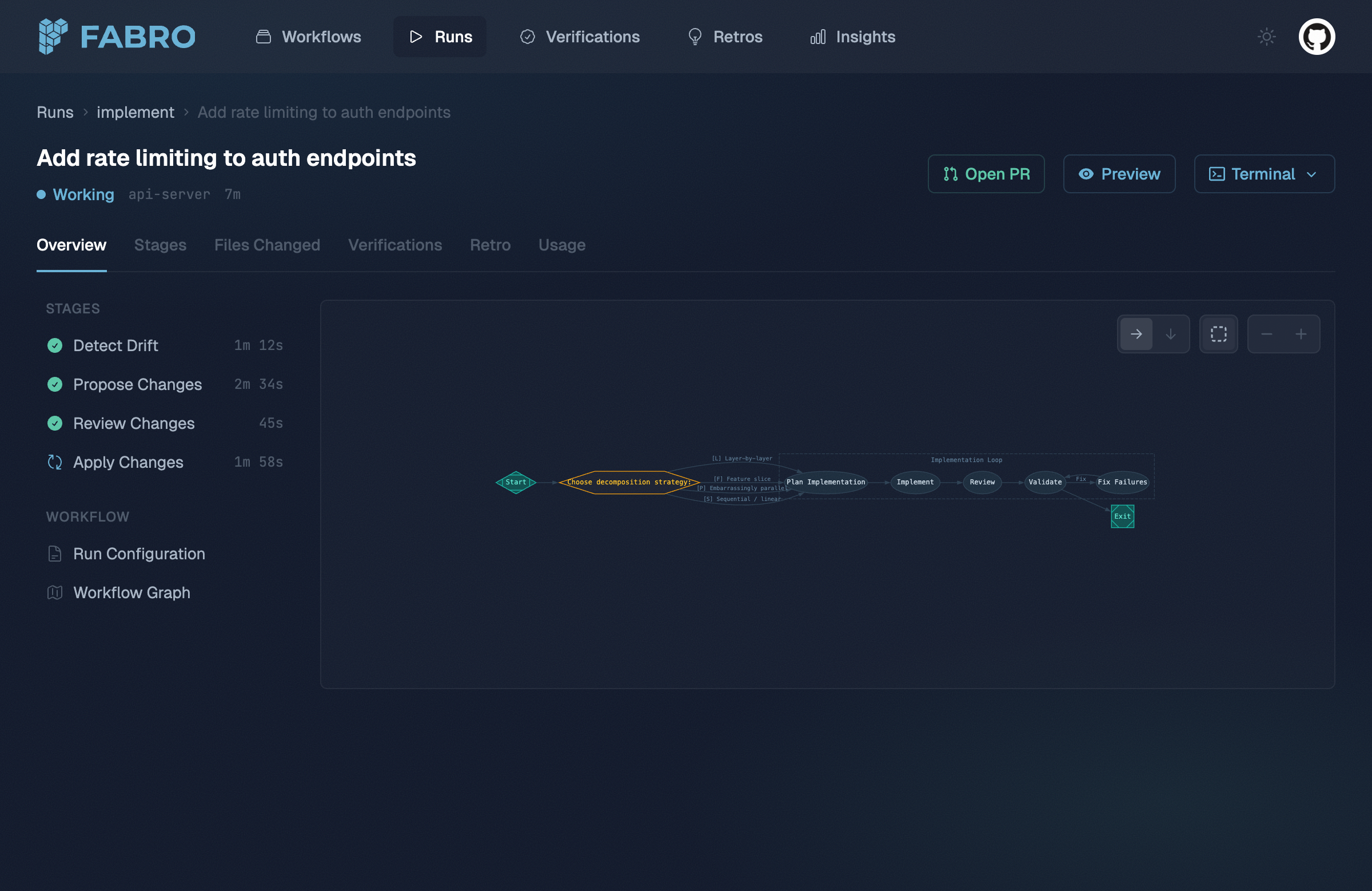
The run detail view shows stage progress alongside the workflow graph.
Retries and error handling
When a node fails, Fabro consults its retry policy. If retries remain, the node re-executes with exponential backoff. If all retries are exhausted, the failure propagates to edge selection — acondition="outcome=failed" edge can route to a fix node, creating a recovery loop.
For workflows with loops, Fabro tracks failure signatures to detect infinite retry cycles. If the same failure repeats beyond the configured limit, the workflow aborts rather than looping forever.
Goal gates
Before completing, Fabro checks all nodes marked withgoal_gate=true. If any goal gate node didn’t succeed, the workflow fails — even though execution reached the exit node. This ensures critical quality checks can’t be skipped by routing around them.
Parallel execution
When the engine hits a parallel fan-out node, it spawns concurrent branches, each with an isolated copy of the context. A merge node collects the results according to the join policy before the workflow continues on a single path.Sandboxes
Node handlers execute tools (bash commands, file edits) inside a sandbox. Fabro supports three sandbox providers:
Runs select a named environment via CLI flags (
--environment ci) or run config TOML ([run.environment] id = "ci"). Fabro then creates a concrete sandbox from that environment. See Environments for details.
Events and observability
Every significant action — stage starts, LLM calls, tool invocations, edge selections, stage completions — is emitted as a structured event. These events power:- The web UI for real-time run monitoring
- Run summaries built from durable events, checkpoints, conclusions, and stage outputs
- DuckDB queries via
fabro insightsfor SQL-based analysis across runs