

fabro run, or start the HTTP server with fabro server start to queue runs, stream events, and serve the web UI.
Both interfaces use the same workflow engine, the same Graphviz files, and the same sandbox providers. The difference is how you interact with them.
Direct CLI Runs vs. Server Interface
| Direct CLI runs | Server interface | |
|---|---|---|
| Command | fabro run workflow.fabro | fabro server start |
| Best for | Local development, one-off runs, CI/CD | Production, team use, running at scale |
| Execution | Synchronous, one run per process | Asynchronous, queued with configurable concurrency |
| Human-in-the-loop | Terminal prompts | Web UI or HTTP endpoints |
| Events | Printed to stderr | Streamed via SSE |
| Persistence | Checkpoint files only | Persistent run store + checkpoint files |
| Web UI | Not available | Full React interface |
| Authentication | None | Dev token and/or GitHub OAuth |
Starting the server
~/.fabro/fabro.sock by default. Use --bind 127.0.0.1 for TCP.
First run: web install wizard
If~/.fabro/settings.toml does not yet exist, fabro server start enters install mode: it prints an install URL and a one-time install token, attempts to open the URL in your default browser, and serves a web wizard that walks you through configuring your server URL, shared object store, LLM provider, and GitHub integration.
When Fabro can construct a direct install URL, the token is embedded in the URL and also printed on its own line for copying. If you open the server root through a reverse proxy or another machine, paste the printed install token when prompted.
The Object store step offers two wizard-managed modes:
Local diskfor a host-local object-store root, detected by default and editable before continuingAWS S3for one shared bucket with fixedslatedb/andartifacts/prefixes
AWS_ACCESS_KEY_ID and AWS_SECRET_ACCESS_KEY in server.env. It does not collect STS/session tokens or S3-compatible endpoint settings. If you need MinIO, Cloudflare R2, path-style options, or custom endpoints, finish install with local defaults and then edit [server.slatedb] / [server.artifacts] in settings.toml manually.
When you finish the wizard, the server writes ~/.fabro/settings.toml and exits cleanly. Start it again to boot in configured mode:
restart: unless-stopped, systemd, or Railway’s restart-on-exit) this second start happens automatically.
For headless or scripted environments where no browser is available, run fabro install instead — it’s the same wizard as a CLI prompt flow.
Common flags:
| Flag | Default | Description |
|---|---|---|
--bind | ~/.fabro/fabro.sock | Address to bind: IP or IP:port for TCP, or a path for Unix socket |
--model | — | Override default LLM model |
--sandbox | — | Override default sandbox provider |
--max-concurrent-runs | 5 | Maximum concurrent run executions |
settings.toml reference.
Submitting runs
In the server interface, workflows are submitted via the REST API and executed in the background. The exact request body is documented in the API reference:Running in FIFO order, up to the concurrency limit.
Run lifecycle
- Submit —
POST /api/v1/runscreates the run with statusQueued. - Schedule — The scheduler picks up queued runs up to
max_concurrent_runs. - Execute — The engine walks the graph, streaming events to all subscribers.
- Complete — The run transitions to
Completed,Failed, orCancelled.
Web UI
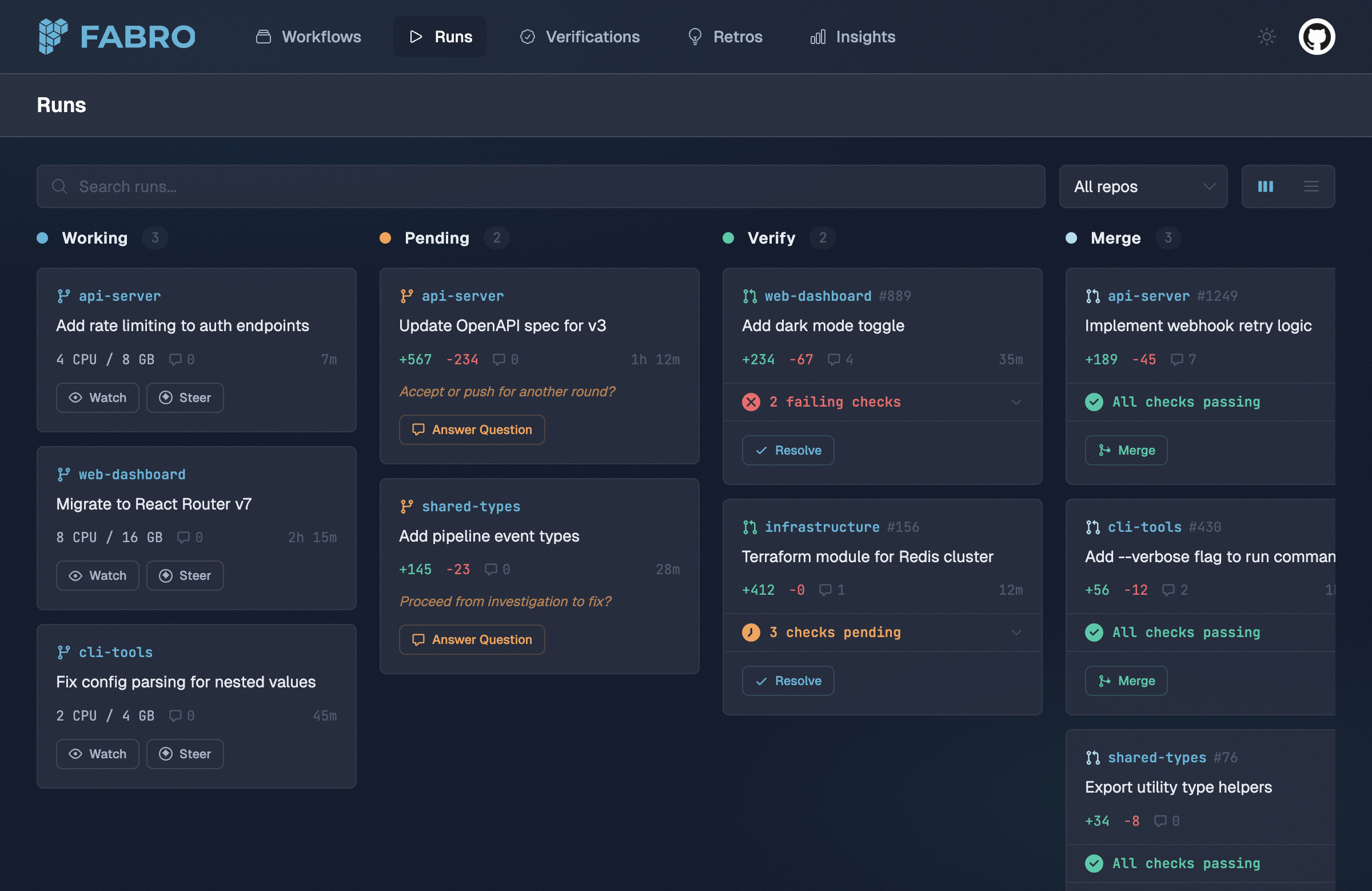
The web UI connects to the API server and provides:- Runs board — Monitor all active runs organized by status
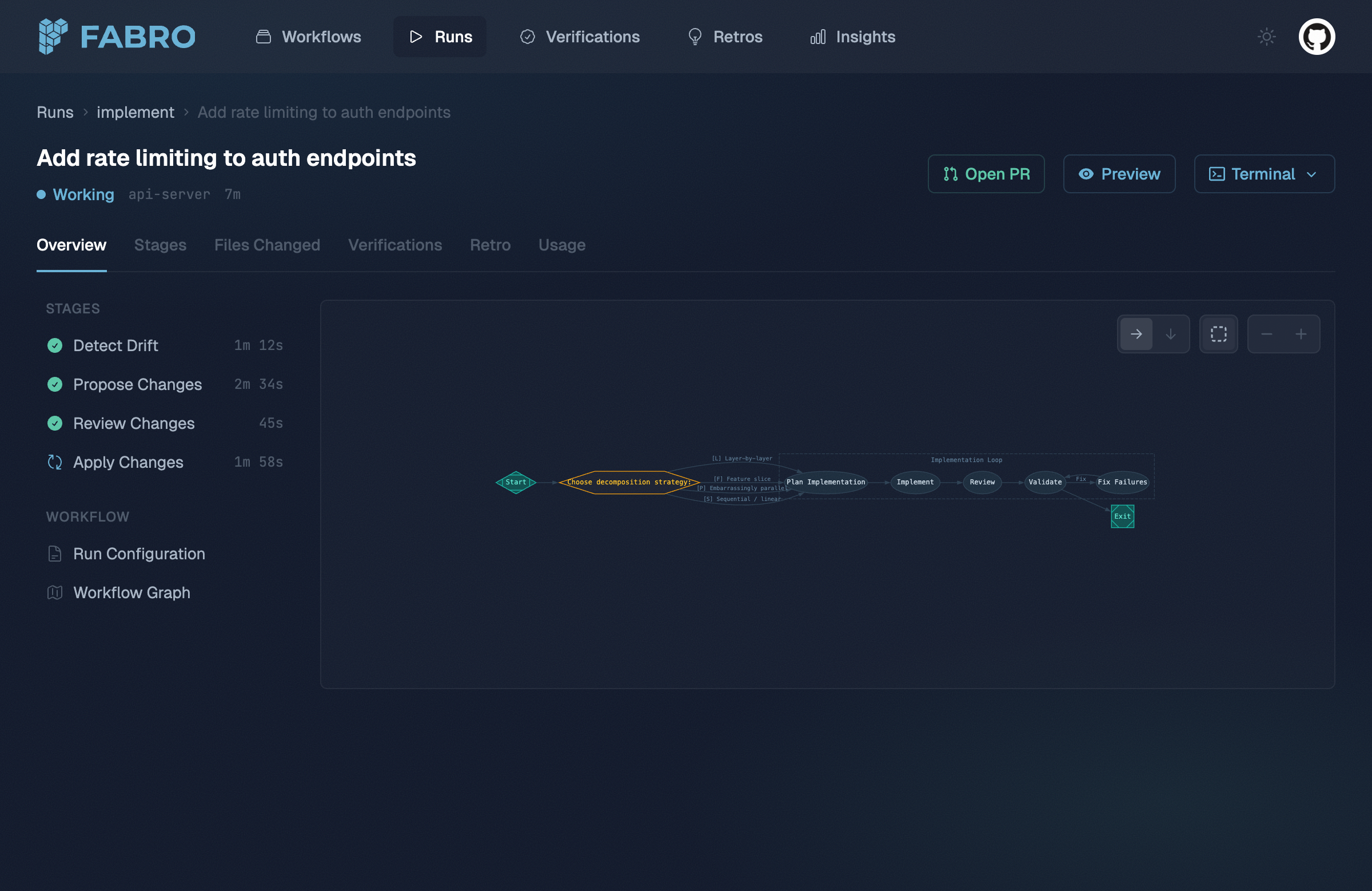
- Run detail — Real-time stage progress, event stream, diffs, and usage stats
- Files Changed — Browse changed files with a searchable tree, per-file status, aggregate diff stats, and split or stacked diffs
- Settings — Inspect server configuration, enabled integrations, storage, auth, and capacity settings
- Start new run — Submit workflows from the browser
- Human-in-the-loop — Answer agent questions through the web interface
- Workflows — Browse available workflows, view their graphs, and see run history
- Insights — SQL-based analysis across runs via DuckDB
Event streaming
The API streams run events via Server-Sent Events (SSE). Every stage start, LLM call, tool invocation, and edge selection is emitted as a structured JSON event. Any HTTP client that supports SSE can subscribe — the web UI is just one consumer.Human-in-the-loop
In the server interface, human-in-the-loop questions are served over HTTP instead of terminal prompts. The engine blocks the current stage until an answer is submitted, then continues execution. See the list questions and submit answer API reference pages.Authentication
The server configures auth withserver.auth.methods:
dev-token— Operators can call the API directly withAuthorization: Bearer fabro_dev_..., and the web login page can accept the dev token too.github— End users sign in through GitHub OAuth and receive a browser session cookie.
settings.toml
Demo mode
Send theX-Fabro-Demo: 1 header on any API request to get static mock data with authentication disabled. The web UI enables this automatically with the FABRO_DEMO=1 environment variable. This lets you explore the UI without API keys or real workflow execution. See Demo Mode for details.
Pointing the CLI at a server
The CLI can target a running Fabro server for commands that support a remote API. Configure~/.fabro/settings.toml:
settings.toml
--server flag:
fabro model list and fabro model test honor [cli.target] by default unless you explicitly pass --storage-dir. fabro exec remains a local agent session and only uses the server when you pass --server.
See User Configuration for the full connection options, including client certificates for proxy-terminated HTTPS endpoints.
Next steps
Server Configuration
Full settings.toml reference — authentication, reverse-proxy TLS, run defaults, and more.
Deploy to Railway
Step-by-step guide for deploying Fabro on Railway.
API Reference
REST API for submitting runs, streaming events, and managing resources.
How Fabro Works
The workflow engine that powers both interfaces.